Check what you already own, then close a specific gap. This guide is researched guidance, not a tested-product ranking.
Start with the job you need done.
Compare the right measurements.
- Watt-hours describe stored energy. Rated watts describe how much power an output can supply.
- Power-bank mAh is usually measured at internal cell voltage and is not the energy delivered to your phone.
- Motor startup, voltage, frequency and plug type must match your actual device.
A runtime planning example
At a constant 100 W load and an assumed 85% usable-energy factor, a hypothetical 1,000 Wh battery gives about 8.5 hours. This is arithmetic, not measured performance or a claim about any search result. Cycling loads, standby use, temperature and battery condition change runtime.
Calculate your own loadBefore ordering
Compare the actual listing’s technical specifications, regional outputs, included cables, warranty and charging options. Product photos in search results may look different from our equipment illustrations.
Make the decision in four steps.
List the essential devices
Write down each device, its connector and whether it needs USB, DC or an AC outlet. A phone-only charging plan is different from a refrigerator plan. Keep nonessential loads off the list at first. For medical equipment, make a dedicated contingency plan with the relevant supplier or professional.
Separate energy from output
Watt-hours describe stored energy. Watts describe power delivered at a moment. Check both continuous output and appliance startup requirements. A battery may have enough energy for a load and still lack the output needed to start it. A USB bank and an AC power station perform different jobs; mAh by itself does not make them comparable.
Estimate the time you need
Use measured consumption or the exact appliance documentation. Add loads running together and account for energy losses. The runtime calculator assumes a constant load and no recharging, so a cycling appliance needs a closer look. Its result is an estimate, not a compatibility check or performance guarantee.
Plan charging and regional fit
Check the exact regional plug, voltage, frequency, charging method and included cables. A solar panel needs compatible connectors and electrical ratings. Its rated watts are not a promise of output under clouds, shade or short winter daylight. Charge the battery before the interruption rather than relying on an untested setup.
Choose the right equipment role.
A mismatch to avoid
Buying a large battery before measuring the loads can leave you with expensive capacity and the wrong outputs. Start with your devices and a recharge plan. Do not treat battery gear as a replacement for safe shelter during extreme temperatures.
Equipment recommendations.
As an Amazon Associate I earn from qualifying purchases. We may receive a commission when you buy through these Amazon links. Illustrations represent equipment types. Every shopping link opens an Amazon search. Compare actual listing photos, specifications, contents and price before buying.
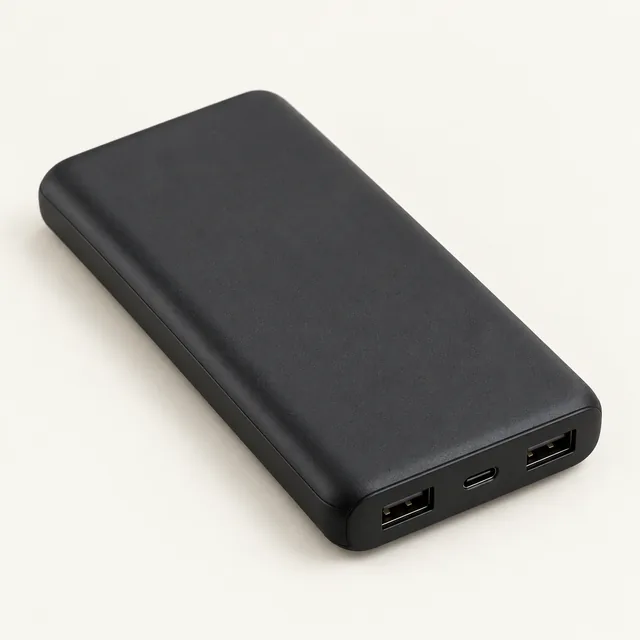 AI illustration · equipment type
Everyday phone power bank
Keep a phone or other compatible USB device charged during a short interruption.
Fit check: Check usable capacity, each port’s output and the charging cables you need.
Important limitation: A USB power bank cannot directly run household AC appliances. Delivered energy is lower than the advertised cell capacity.
EQUIPMENT BUYING GUIDANCE
Look for: Check USB output and your charging cable
Compare the actual listing’s photos, specifications and included items. The illustration and guidance describe an equipment type, not a specific product offered for sale.
We may earn a commission.
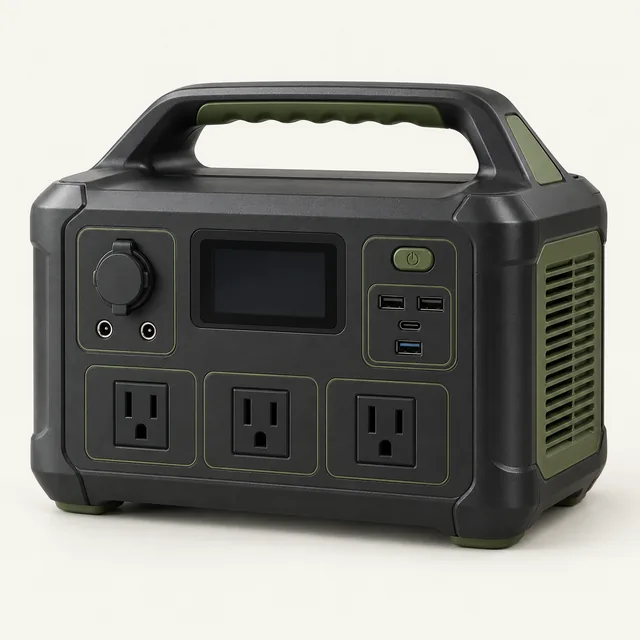 AI illustration · equipment type
Home essentials battery station
A rechargeable battery system to compare for lights, communications, and selected appliances.
Fit check: Compare Wh capacity, continuous and surge watts, local voltage, and recharge options.
Important limitation: Runtime depends on the actual load. Confirm regional output and startup limits; make a separate plan for critical medical equipment.
EQUIPMENT BUYING GUIDANCE
Look for: Match stored watt-hours and continuous AC output to measured loads
Compare the actual listing’s photos, specifications and included items. The illustration and guidance describe an equipment type, not a specific product offered for sale.
We may earn a commission.
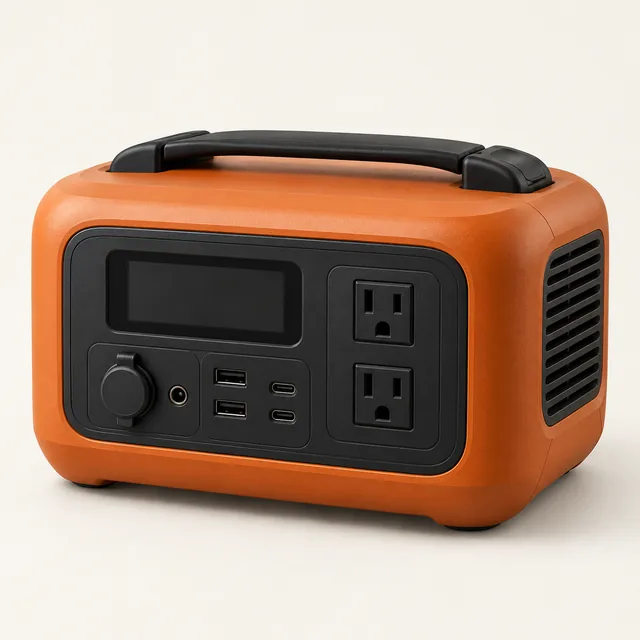 AI illustration · equipment type
Carryable AC backup station
Keep selected home essentials running.
Fit check: Compare device watts, surge demand, plug type, and charging options.
Important limitation: Runtime depends on your load; electric heaters can exhaust a battery quickly.
EQUIPMENT BUYING GUIDANCE
Look for: Check total output startup demand and carrying weight
Compare the actual listing’s photos, specifications and included items. The illustration and guidance describe an equipment type, not a specific product offered for sale.
We may earn a commission.
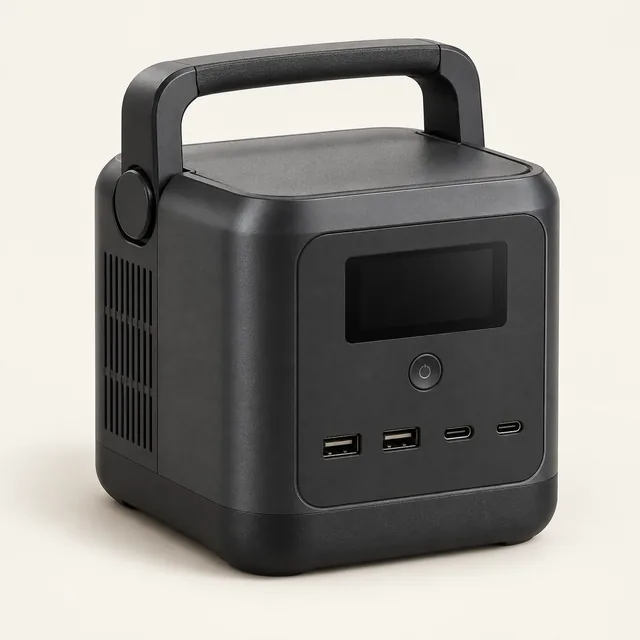 AI illustration · equipment type
USB and DC charging station
A carryable charging hub for phones, tablets, and USB equipment.
Fit check: Check each device’s USB-C requirements and the included charging cables.
Important limitation: Some DC stations have no household AC outlets. Check the actual outputs and supported USB-C profiles.
EQUIPMENT BUYING GUIDANCE
Look for: Confirm whether AC outlets are required
Compare the actual listing’s photos, specifications and included items. The illustration and guidance describe an equipment type, not a specific product offered for sale.
We may earn a commission.
Put the choice into your plan.
Calculate your battery runtime before choosing a product. Explore the related equipment collection to compare options. Your local emergency instructions and individual needs remain the starting point.
Published 4 October 2026; substantively updated 28 October 2026 by the Beforetheoutage.com editorial desk.
Primary guidance and references
Ready.gov power outage guidance. Recommendation cards describe equipment roles and buying criteria, not specific products for sale. Selection is based on intended role and documented limitations; no source is claimed to endorse this site.